
Checkpoint presence
Register locations and NFC tags, then record a real scan or a deliberate manual entry with context.

Operational clarity for real places
Cuveta gives teams a reliable way to plan patrols, verify checkpoints and turn field activity into a clear operational record.
Web control + Mobile capture
One operational picture, from the checkpoint to the report.
The system
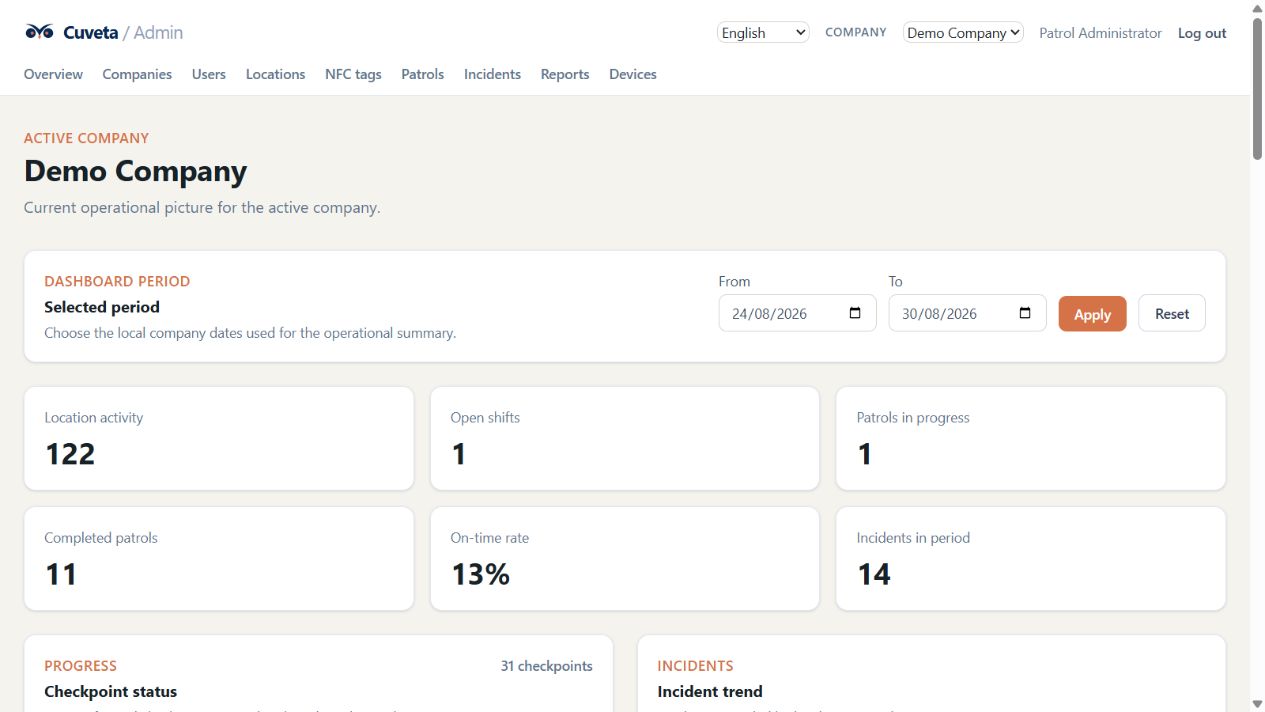
Cuveta keeps the operational basics together: who is active, where work happened, what needs attention and what is ready to review.
Register locations and NFC tags, then record a real scan or a deliberate manual entry with context.
Define ordered steps, repeated locations, timing rules and assignments for the routes your team runs.
Keep working through temporary connectivity gaps with a local queue and clear synchronization states.
Capture a description, location, GPS when available and one or more photos from the mobile workflow.
Keep access scoped to the right company and role across administrators, controllers and guards.
Review activity by day, location, patrol run or guard with the filters needed for a useful handover.
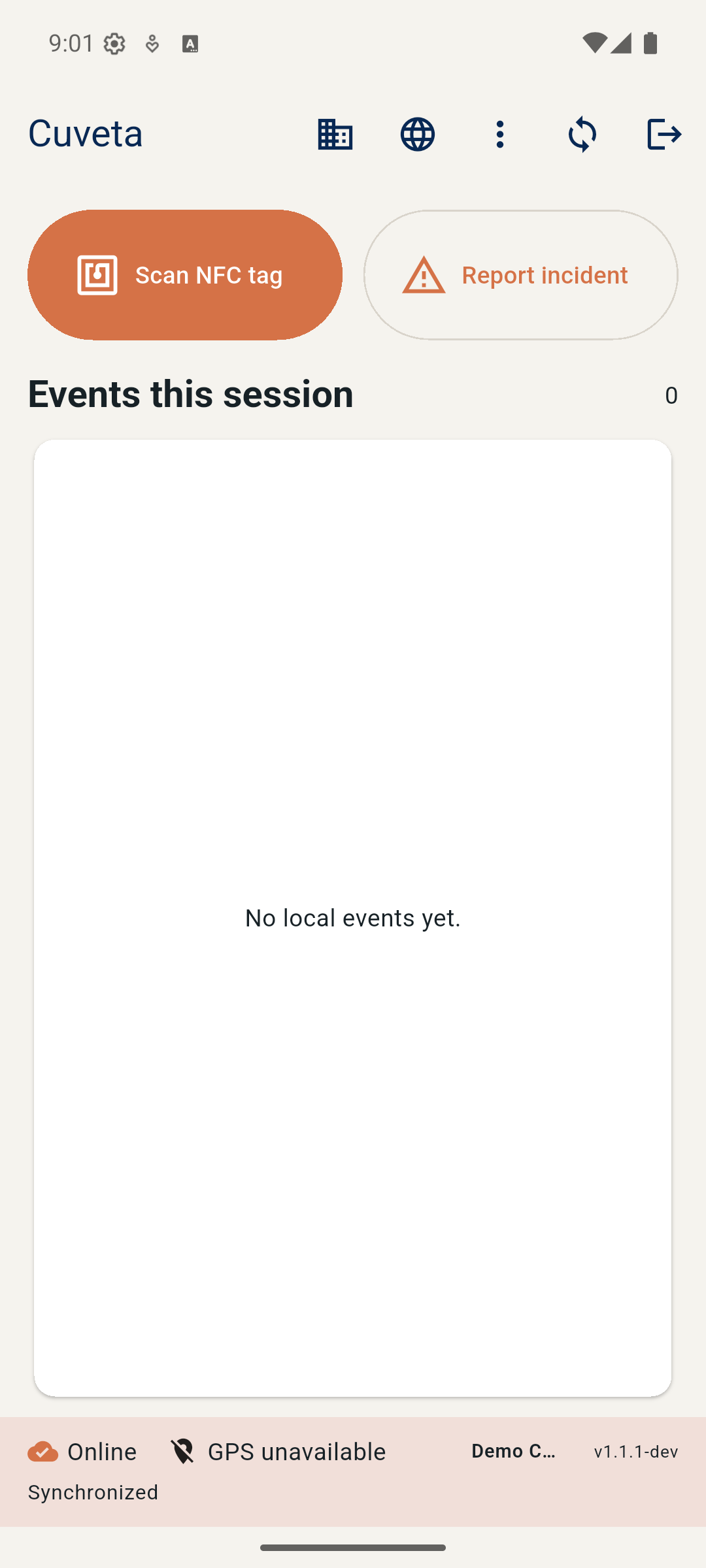
Give field users a direct path to scan a tag, start a patrol, report an incident and review their events.
Keep device registrations and the last-known operational state visible to the web team.
A simple loop
Set up the structure once, then let the field team capture what happens with as little friction as possible.
Create the company structure, locations, NFC registry, users and patrol definitions in the web app.
Field users scan checkpoints, start patrols and add incident details from the Cuveta mobile app.
Queued activity synchronizes when possible, while coordinators follow the dashboard and reports.
Built for the field
The mobile app keeps the workflow moving when a location has a weak signal. Events and incident details can be queued locally and synchronized when the connection returns.
Where it fits
Use Cuveta wherever consistent rounds, checkpoint evidence and a useful handover matter.
Give guards a repeatable checkpoint route and give coordinators a traceable view of the shift.
Create a shared history of checks across buildings, plant rooms and service locations.
Record route-based inspections and raise an incident with the place, detail and photo attached.
Coordinate recurring operational checks across guest-facing and back-of-house locations.
Keep company-scoped access and reporting consistent as the number of locations grows.
See it in context
A short walkthrough is the fastest way to see how Cuveta maps to your operation. We will focus on the people, places and handovers that matter to your team.
The demo request channel is configured through the deployment environment so it can point to your approved team address.
The approved demo contact will be connected before the sales launch.